In this thread you’ll find a collection of possible set ups for the forum.
*** Mobile view ***
Forum homepage
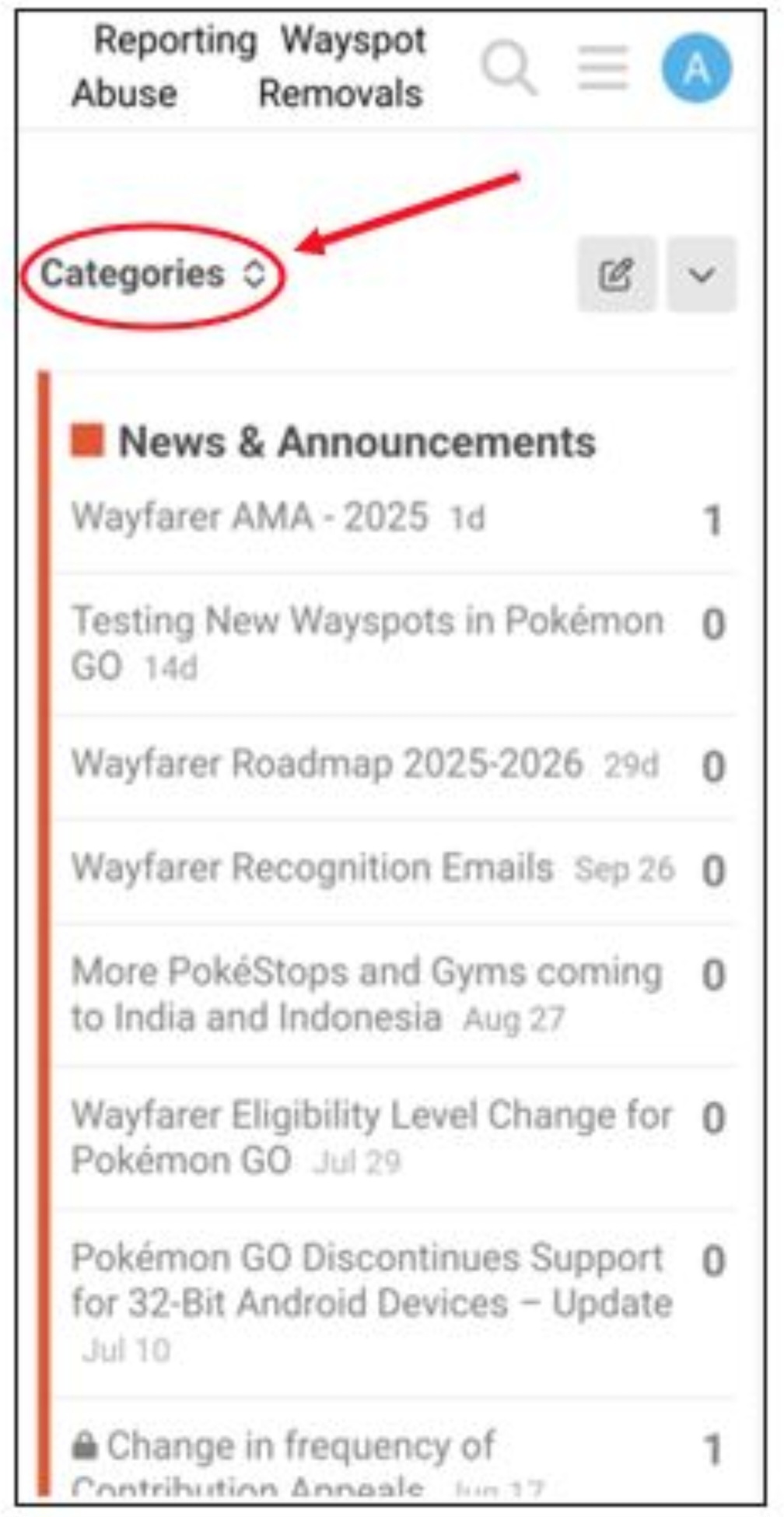
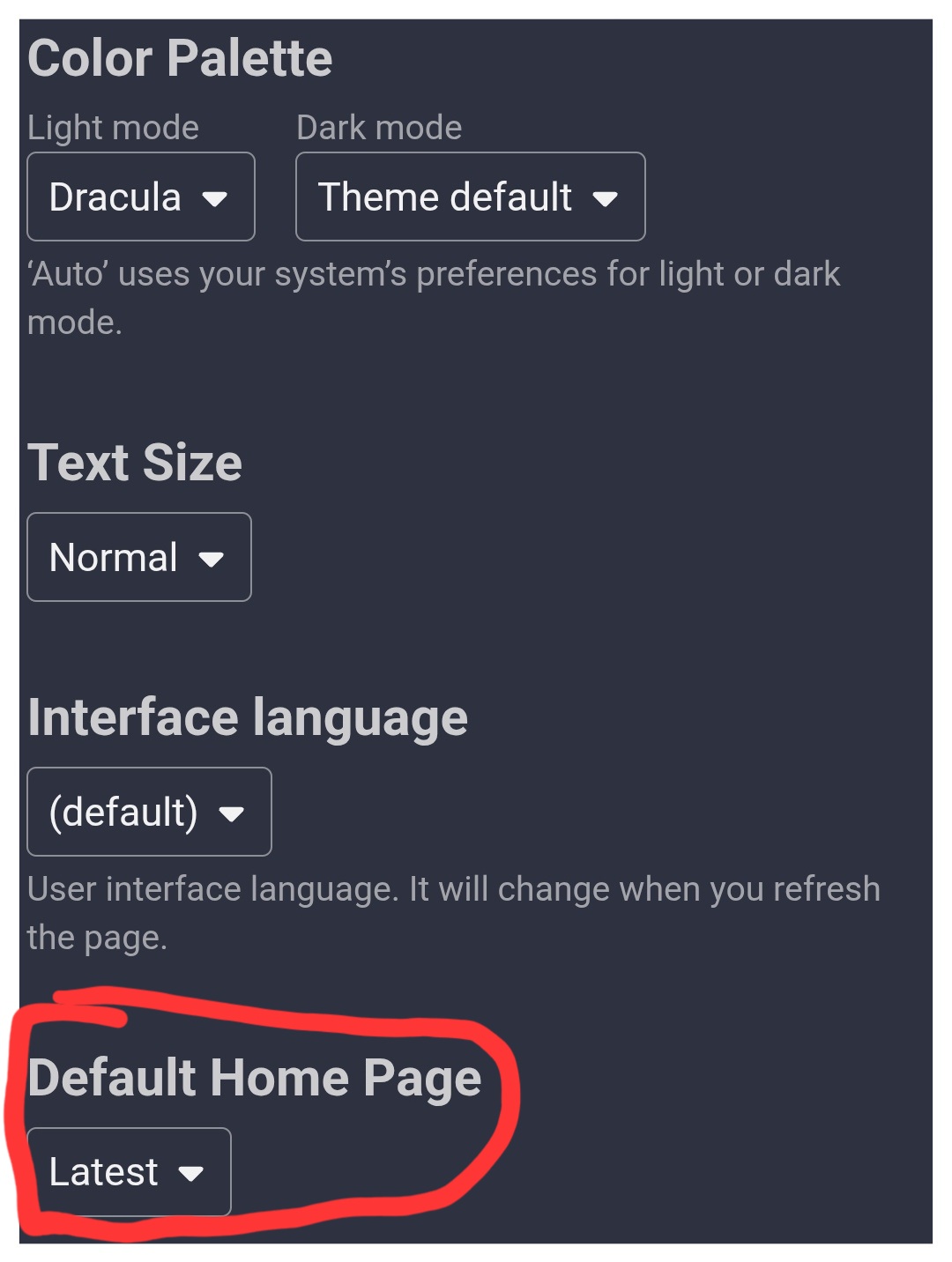
When you open the Wayfarer forum the initial page can be sorted in mainly two diffrent ways 1. Categories or 2. Latest.
My personal prefered filter is categories because it looks more organized. The first two categories are containing the header and ten listed threads, the following categories are containing the header and three threads.
You can switch it here:
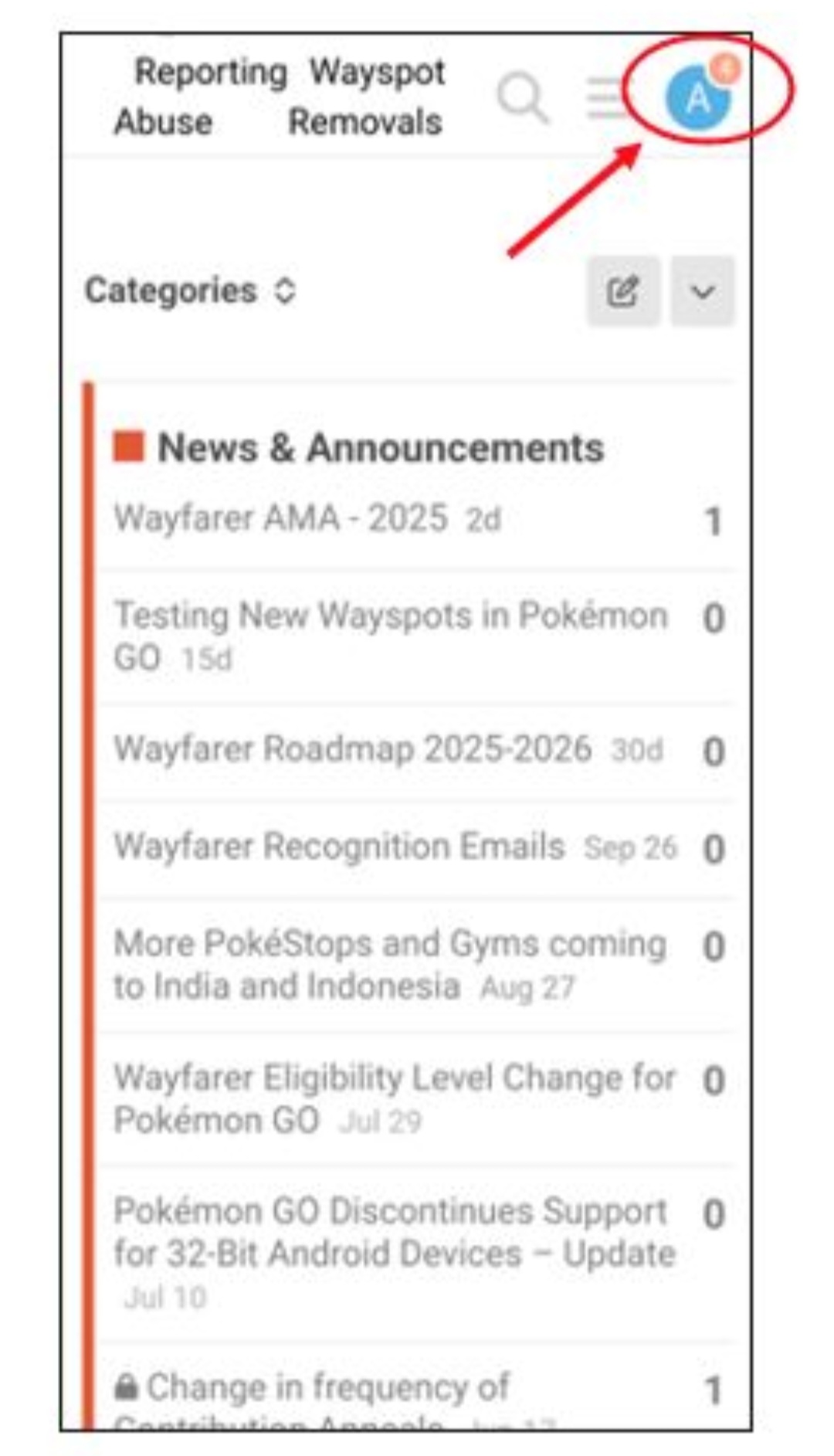
Recent posts you can read here:
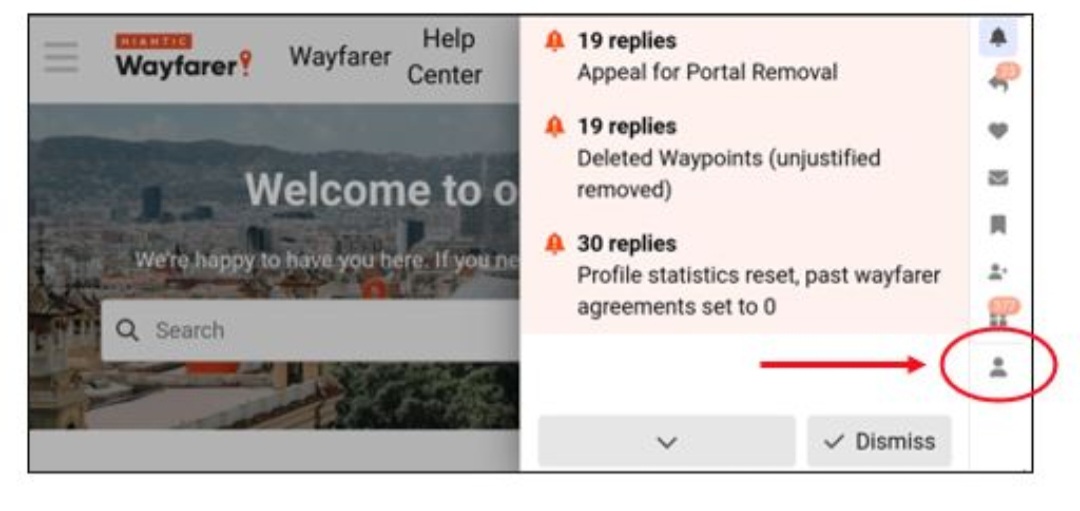
After clicking on your avatar icon you’re in a list of your notifications. You can click on those two buttons to show it more in line:
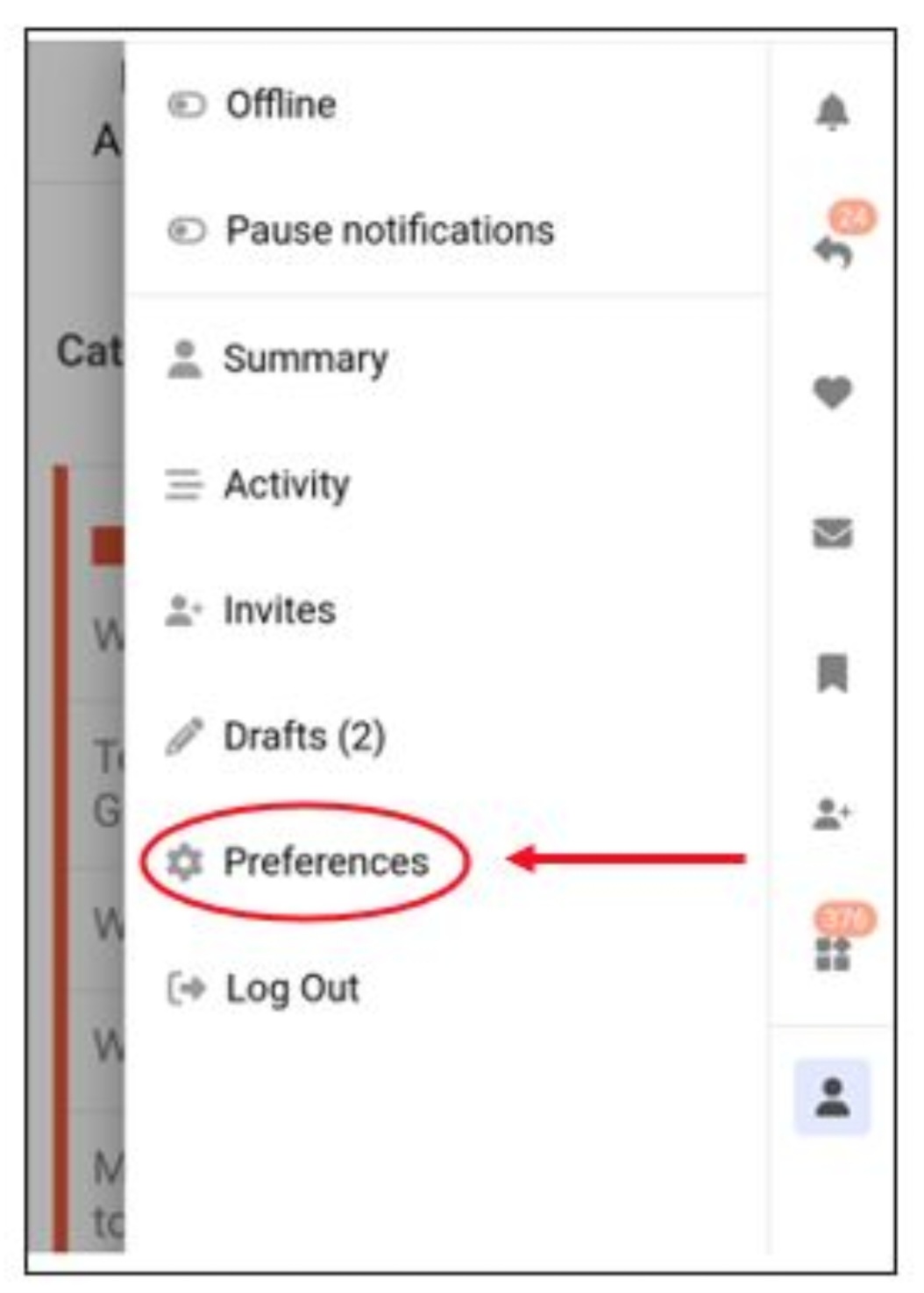
Set up your preferences
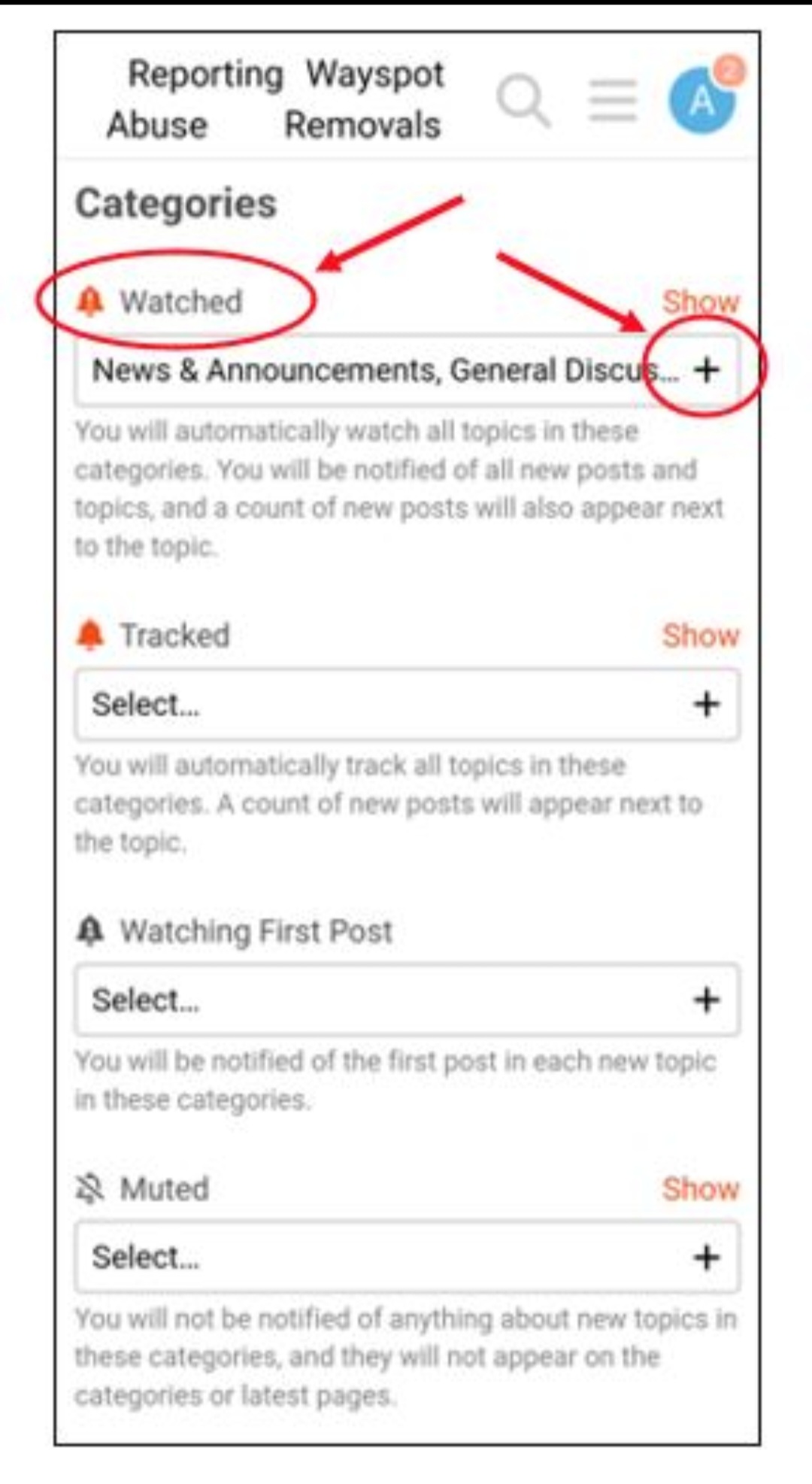
Scroll to “+ Tracking” to set up your notifications:
If you want to be informed everywhere you have to add all categories if not that’s your point to choose (new categories must be added manually):
If you want a counter on your avatar icon you need to set it here:
(Save changes on every page you’ve changed!)
Emails
My personal choice is to not receive any emails out of the forum you can set it here:
Happy exploring 
Changing to “Categories” was key for me. I also found getting rid of the orange color helped:
Oh and for who want Dark mode if Light mode is too bright for your liking
Edit: yes I hate light mode.
Alice did a great job outlining one way to use the forum. For a different set up, here’s how I read things:
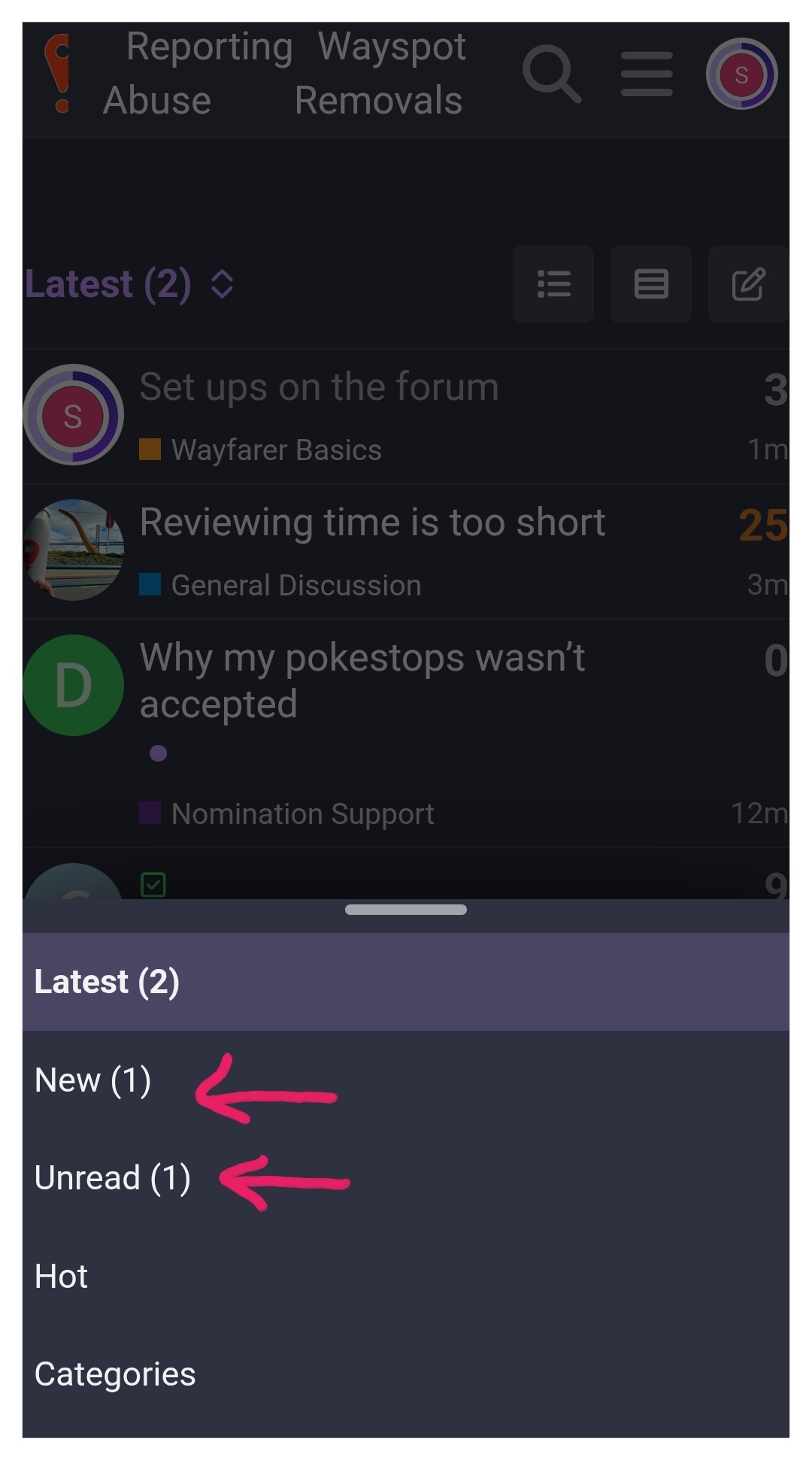
I use “Latest" instead of categories. Then when on mobile, I hit the exclamation point on the top left corner to get to “home.” Then I use the drop down at the top to see the list of New or Unread. I usually start with Unread to catch up on new comments to older threads. Then switch to New to see what new topics people have started since I was last here.
If i read over the list of topics and I don’t want to read any of them, I hit dismiss at the top right of the list and they reset for me.
The category is listed under the title, so that helps me choose which ones seem more interesting to read.
I can still get to categories by using the “hamburger" menu at the top right.
If you realize that you never read things from a particular category, you can set that whole category to mute (ignore) and nothing from it will show up in these views. You will have to switch to Category view and click a link to see muted categories (at the bottom) to see those topics. I have the Appeals category on mute because I don’t need to read those on a regular basis.