Why was my account blocked if it is a real nomination?
Uploading: 1000070751.jpg…
Uploading: 1000070750.jpg…
Uploading: 1000070749.jpg…
Uploading: 1000070748.jpg…
Uploading: 1000070752.jpg…
Welcome to the forums.
When you post with attachments, you need to wait for them to finish uploading before submitting the post. Please retry.
Welcome. If you are comfortable, please share complete nomination that trigger the warning/suspension. I assume you got the email saying that one of your nomination trigger this warning/suspension?
you are still not waiting long enough - watch for it to say the upload is complete

Hey @lovedrag82 ,
I have shared some details in a DM. Please review it.
You’ve been told twice to wait while uploading to make sure the upload has finished before submitting your post, yet you have done it again. No-one can see your images when you don’t wait.
You still aren’t giving the picturess enough time to upload to your comment. When you upload a picture, wait until you see the text change to say it’s uploaded. Then you can post it and it should appear as an actual picture we can view. If you post before it says it’s uploaded, then it won’t be visible to anyone as a picture.
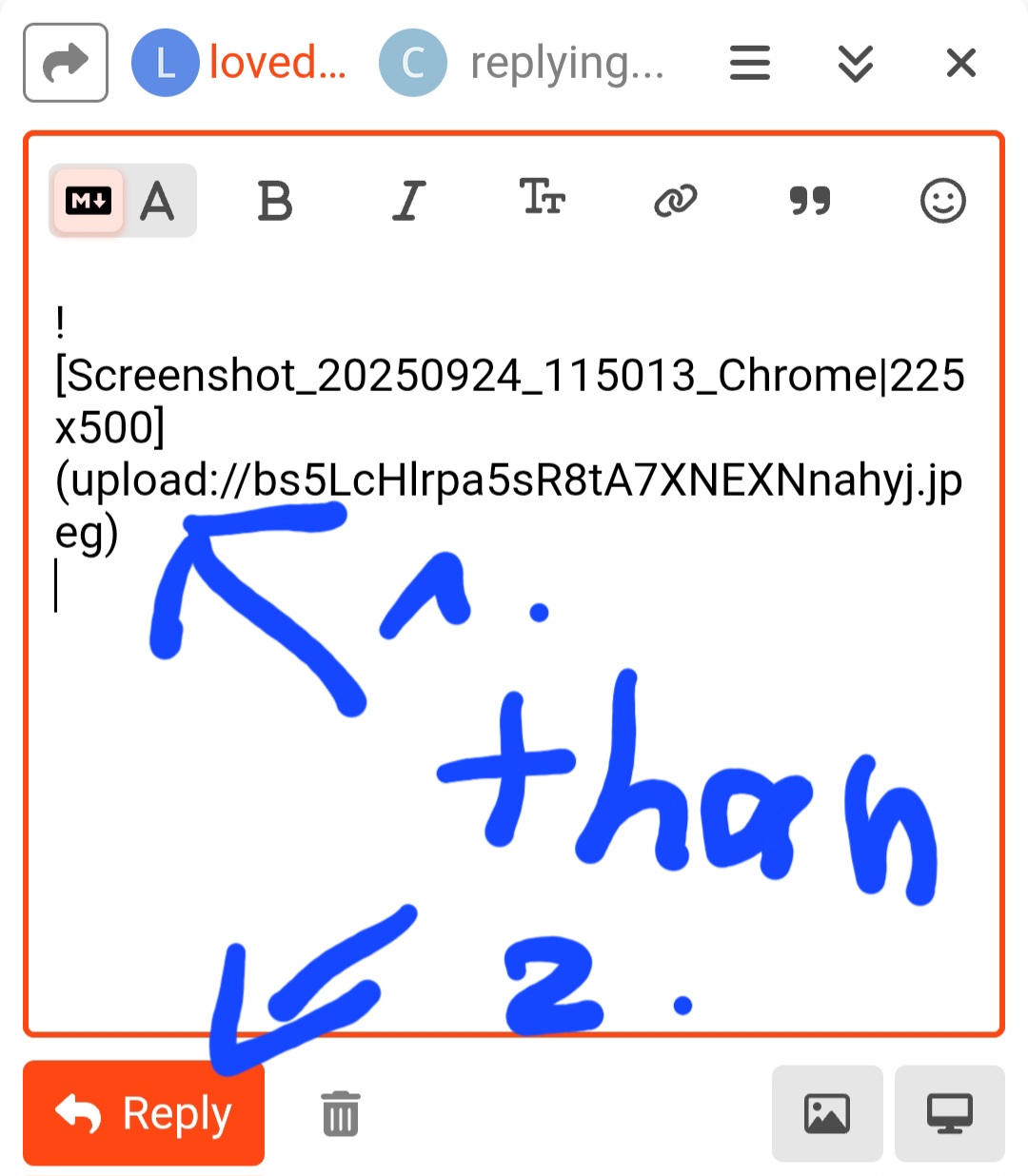
I tried to show you what it will look like when the upload is complete.
Do not hit the reply button to send until you do not see the word “uploading”
This is all we see:
(NianticAaron has already sent you a DM. There is no need to share with the rest of us. He is the one who can do something about the situation, if there is anything to be done. Do reply to his direct message.)
You need to wait whilst the images upload to the forums. Then and only then should you submit your post.
Mod edit: Edited the sarcastic humor part as it could be misinterpreted.
This isnt very helpful or nice to someone that is already struggling.
It is still the same problem. I suggest posting after the urls have become the images. This should indicate that it is done uploading.
Wait until you don’t see this “uploading” message before hitting reply. On computer, you will see the image when it is finished. You don’t see the image on phone when I tested, but the message does change.
There are so many lovely patient people on these forums. The op has repeated the same error four times and people are still able to gently try to help them without showing frustration. Thumbs up to @paulingzubat and @cyndiepooh


We were noob once.